

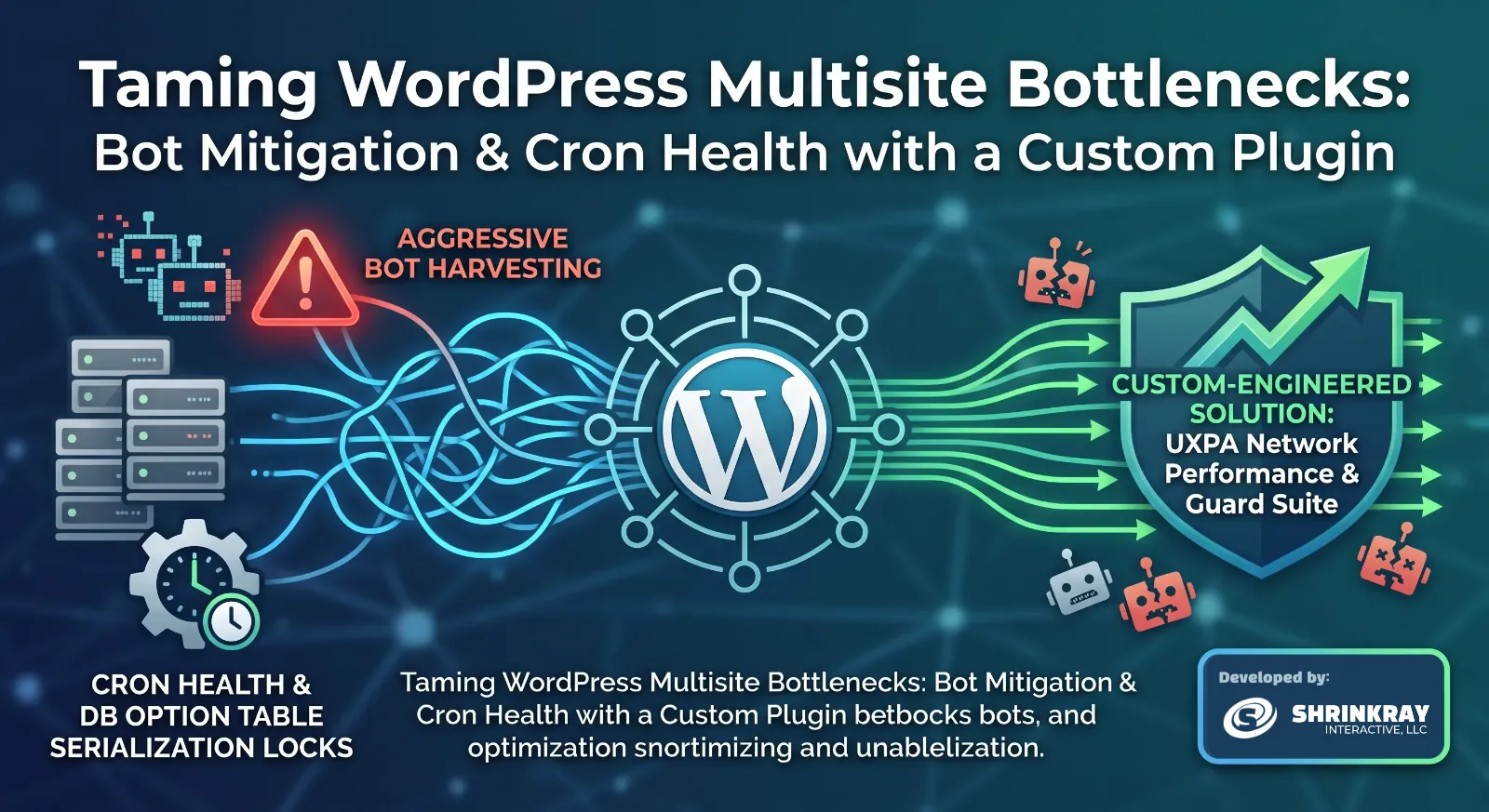
Managing high-traffic WordPress Multisite networks often reveals unique performance challenges. In large setups, standard off-the-shelf security or optimization plugins can introduce their own bloat, compounding the very issues they are meant to solve.
At the end of June 2026, we deployed a custom-engineered solution—UXPA Network Performance & Guard Suite—to address two persistent bottlenecks identified in server log audits: aggressive, automated bot harvesting and recurring database option table serialization locks.
The Root Performance Bottlenecks
1. Automated Credential Harvesting via Username Enumeration
Bots continuously probe WordPress sites searching for valid administrative and author usernames. They typically target default query endpoints:
- Query strings targeting author archives:
/?author=N - Core REST API user endpoints:
/wp-json/wp/v2/usersor/wp-json/wp/v2/users/me
While standard security utilities can block these requests, letting every malicious scan boot up the full WordPress core, query the database, and execute complex plugin chains causes significant CPU and memory spikes. On a multisite network, this traffic degrades performance for genuine users across every sub-site.
2. Cron Array Serialization Failures
WordPress stores scheduled tasks inside a single serialized database option (cron). When background libraries like Action Scheduler accumulate tens of thousands of historic, failed, or duplicate events, this option row balloons in size.
Eventually, writing updates to this database row hits MySQL packet limits or thread locks, resulting in repeated system errors:
Cron reschedule event error for hook: action_scheduler_run_queue... Error code: could_not_set
When action_scheduler_run_queue fails to save its state, background processing stalls, creating a cascading backlog.
The Solution: UXPA Network Performance & Guard Suite
To solve these issues without adding third-party plugin overhead, we engineered a dedicated, lightweight network suite.
Key Architectural Capabilities
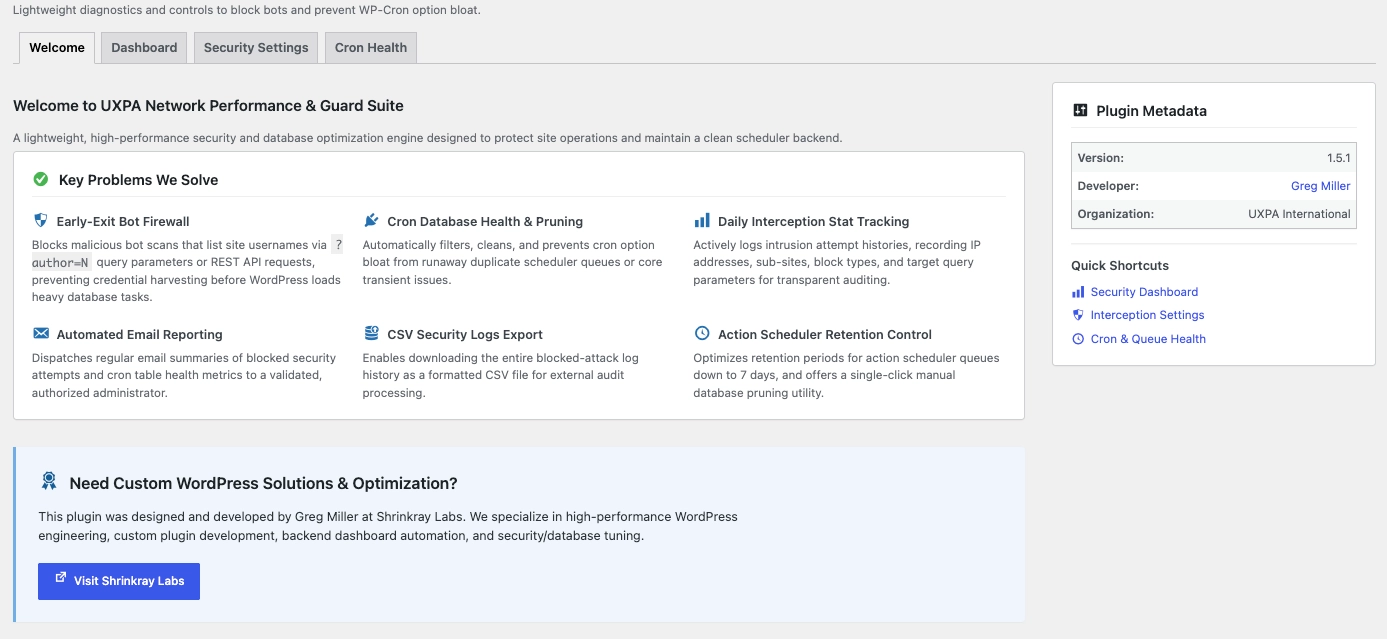
- Early-Exit Firewall: Intercepts username enumeration attempts during the early
inithook execution phase. It drops connection requests immediately before WordPress initializes heavy database queries or theme resources. - Cron Database Health & Pruning: Keeps the scheduler array lean by automatically stripping duplicate task hooks and offering a single-click queue purge.
- Action Scheduler Retention: Limits completed action log retention to 7 days (down from the 30-day default), keeping table sizes under control.
- Threat Intelligence Integration: Outbound links within the dashboard allow administrators to audit offending IP addresses directly on AbuseIPDB.
Investigating Threats with AbuseIPDB
When an IP triggers our early-exit firewall, the dashboard provides direct lookup links to verify its threat profile before applying permanent edge or host-level blocks.
For example, looking up an offending IP (102.220.160.79) shows a 100% Abuse Confidence Score with 427 recent reports of failed WordPress logins and web application attacks. This confirms that the early-exit firewall is catching legitimate malicious actors.
Managing Security & Blocking Strategies
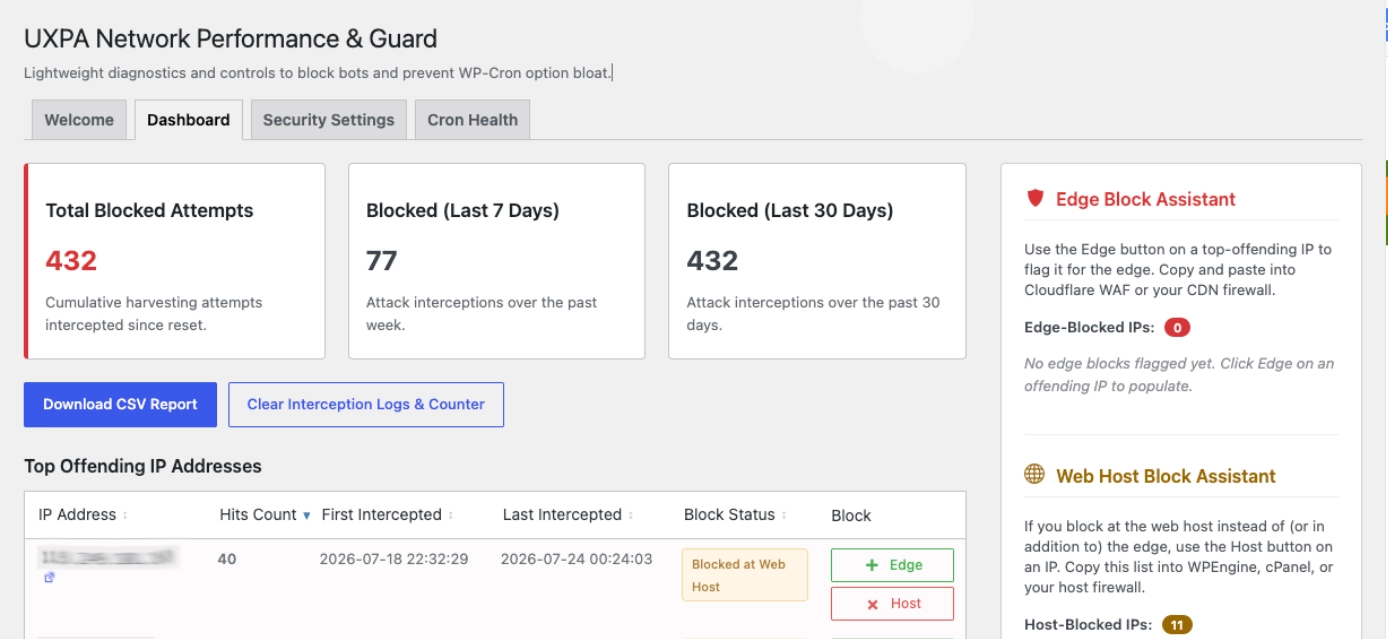
The plugin dashboard aggregates threat statistics and offers quick export options for off-site auditing.
When an IP demonstrates persistent malicious behavior, we employ a multi-layered blocking strategy:
1. Edge-Level Blocking (Cloudflare)
Offloading blocked IPs to Cloudflare WAF drops malicious traffic at the CDN edge, preventing requests from reaching our web server entirely.
2. Host-Level Rules (WP Engine)
For persistent subnet probes, we configure access rules directly within the WP Engine control panel.
Adding IP deny rules at the host level stops the traffic at the web server layer (Nginx/Apache), protecting PHP execution limits.
Restoring Scheduler Health
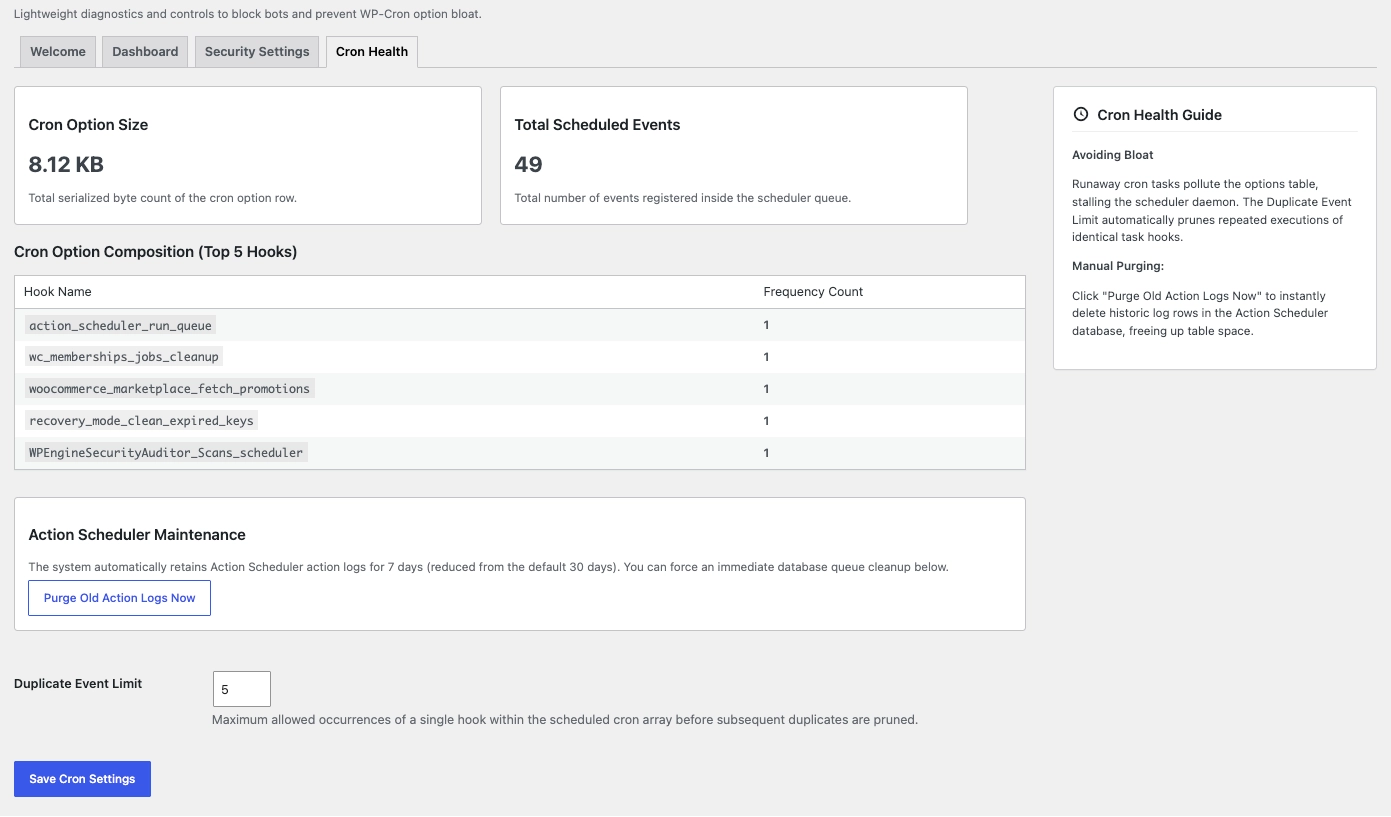
The Cron Health tab provides immediate visibility into the underlying state of the WordPress scheduler array.
Performance Diagnostics Delivered:
- Cron Option Size Tracking: Keeps the serialized byte count visible (currently stabilized at a clean 8.12 KB).
- Scheduled Event Auditing: Monitors the total number of active queue items (49 total events).
- Duplicate Event Cap: Enforces strict limits on repetitive hook registrations to prevent option row bloat.
- Manual Queue Purge: Provides a one-click mechanism to purge historic Action Scheduler logs instantly.
Opportunities for Future Improvement
While the suite has successfully stabilized background queue processing and short-circuited bot traffic, there are several areas targeted for future enhancement:
- Dedicated Custom Database Table (
dbDeltaMigration):
- Current State: Telemetry data uses bounded
update_site_option()writes. In WordPress Multisite,sitemetaoptions preload across the entire network on every page request. - Enhancement: Transition log storage to a dedicated custom table (
wp_uxpa_security_logs). This will remove telemetry writes from the preloaded network memory path entirely, allow longer log retention windows, and enable fast indexed per-IP querying.
- Automated Cloudflare API Integration:
- Current State: High-volume offending IPs are reviewed manually before copying them into Cloudflare or host firewall lists.
- Enhancement: Add an optional Cloudflare API endpoint integration to allow one-click IP banning directly from the plugin dashboard into Cloudflare WAF rulesets.
- Automated Cron Array Auto-Recovery:
- Enhancement: Implement an automated health check that detects if the core
cronoption string becomes corrupted or un-serializable, automatically executing an array repair routine to prevent execution stalls entirely.
Let me build a custom plugin for your community or multisite website

Need a custom WordPress plugin tailored to your community, business, or multisite website? Shrinkray Interactive is here to help. We research your specific needs and design, evaluate, implement, and continuously improve your white-labeled plugin.
Ready to lock down your network? Reach out to Greg to get your own custom plugin developed today!